
Google Flow AI vs Nano Banana vs Veo 3.1: Best AI Photo Editing and Video Tools in 2026
July 25, 2026Google has released three AI tools within a short span of time: Google Flow, Nano Banana, and Veo 3.1. Many readers ask me which one they actually need, and the honest answer is that these tools are not really competing with each other. They work together. This guide explains what each one does, how they connect, how they compare to tools like Midjourney, Sora 2, Kling, and Adobe Firefly, and which one fits your specific project.
Quick Answer: Which One Should You Use?
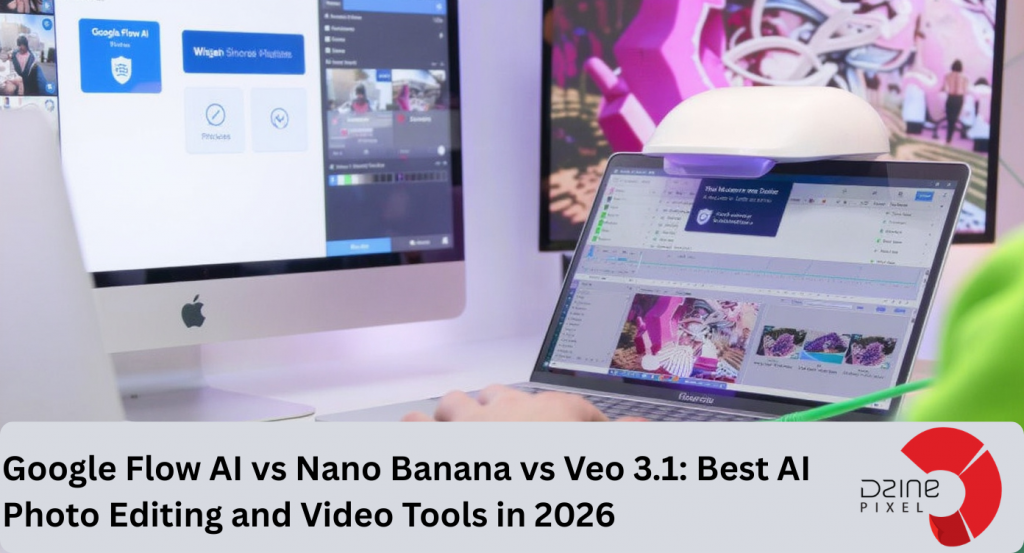
If you only remember one paragraph from this article, remember this one. Google Flow is the workspace where you create. Nano Banana is the model that generates and edits images inside that workspace. Veo 3.1 is the model that generates video, including synchronised sound, inside that same workspace. Use Nano Banana for pictures, use Veo 3.1 for video, and use Flow when you want both working together in one place.
What Is Google Flow?
Google Flow is Google’s AI filmmaking workspace, built around the Veo and Nano Banana models, where you generate, edit, and extend images and video in one interface. It launched in May 2025 and now lives at flow.google.
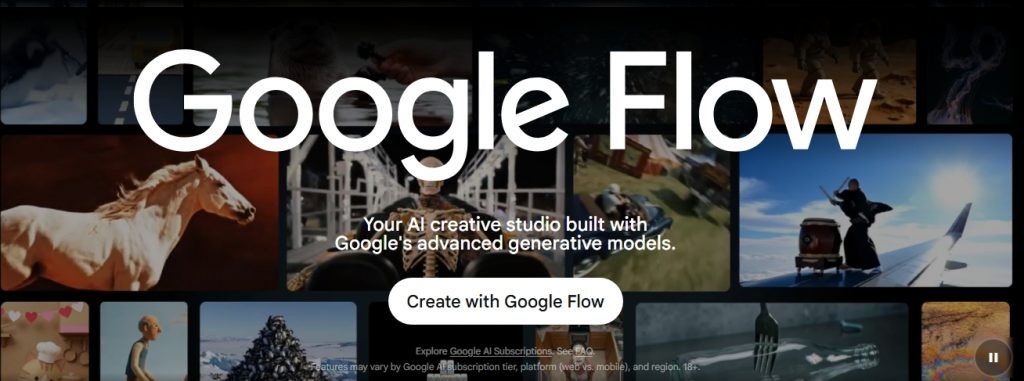
On February 25, 2026, Google merged Flow with two other tools it had been running separately, Whisk AI and ImageFX, into this single workspace. That merger matters because it means you no longer need three different tabs open to move from an idea to a finished image to a finished video. Everything sits in one place now.
Flow runs on three models working together, and each one has a specific job.
- Gemini reads your instructions and understands what you are asking for.
- Nano Banana creates and edits the still images.
- Veo 3.1 turns those images and prompts into moving, sound-synced video.
One feature worth highlighting is SceneBuilder. Instead of generating a brand-new clip from scratch for every scene, SceneBuilder extends an existing shot. This keeps the same character, outfit, and lighting consistent from one scene to the next, which solves a problem that used to plague earlier AI video tools, where a character’s face would subtly change between clips.
Flow also gives you camera controls, a library for saving reusable characters and assets (Google calls these “ingredients”), and Flow TV, a collection of example prompts and techniques from other creators.
There is also a Multi-Image Composition feature that lets you upload up to eight reference images, such as your product shots, logo, and brand colours, and lock that identity into every generation that follows. That means you can place the exact same product in a dozen different settings without it losing shape, texture, or branding.
How much does Google Flow cost?
Flow offers a free tier with 100 initial credits plus 50 daily credits, which is enough to experiment with. For serious or regular use, you need a Google AI Pro subscription at $19.99 a month, which includes core Flow features capped at 720p, or Google AI Ultra at $249.99 a month, which unlocks 1080p output, advanced camera controls, and early access to new features.
What Is Nano Banana?
Nano Banana is the nickname for Google’s family of Gemini image-generation models, used for creating and editing images inside Gemini, Search, Lens, and Flow. It is not one single model. It is a lineup, and knowing which version you are using actually matters.
Here is where the name itself is a fun bit of trivia. A Google DeepMind engineer created “Nano Banana” as a throwaway internal codename in July 2025, while submitting an unreleased model to a public AI-testing platform anonymously. The real name was already decided: Gemini 2.5 Flash Image. But the placeholder name went viral before Google’s official announcement, and the nickname stuck so hard that Google formally adopted it alongside the technical name.
As of mid-2026, four versions exist in this family:
- Nano Banana (Gemini 2.5 Flash Image, released August 2025): the original version. It is still functional, but it is now considered the legacy option.
- Nano Banana Pro (Gemini 3 Pro Image, released November 2025): the flagship, high-precision version. It supports full 4K output, renders text accurately in multiple languages, and handles complex multi-image edits.
- Nano Banana 2 (Gemini 3.1 Flash Image, released February 26, 2026): combines Nano Banana Pro’s quality with much faster generation speed. It became the default image model across Gemini, Search’s AI Mode, Lens, and Flow.
Which Nano Banana version should you use?
For everyday tasks like quick edits, product mockups, or social media graphics, Nano Banana 2 is the better choice. It is free inside the Gemini app and generates images in a few seconds. Reserve Nano Banana Pro for jobs that specifically need 4K resolution or precise, readable text inside the image, such as posters, infographics, or multilingual marketing material.
A few technical details worth knowing. Nano Banana 2 supports resolutions from 512 pixels up to 4K, and it can keep up to five characters and multiple objects visually consistent within a single image.
Every image it produces carries an invisible SynthID watermark (a Google system that tags AI-generated content so it can be verified later) along with C2PA metadata (an industry-standard content credential system, backed by Adobe, Microsoft, OpenAI, and Meta, that records how and where an image was made).
You can upload any image into the Gemini app and ask whether it was AI-generated, and the system will tell you, including what percentage of the image was AI-modified.
What Is Veo 3.1?
Veo 3.1 is Google’s text-to-video and image-to-video model, and it is the engine that generates the moving output inside Flow, Gemini, and Google Vids. The original Veo 3 launched in May 2025. Google added native audio generation in October 2025, then rolled out a 4K resolution upgrade in January 2026.
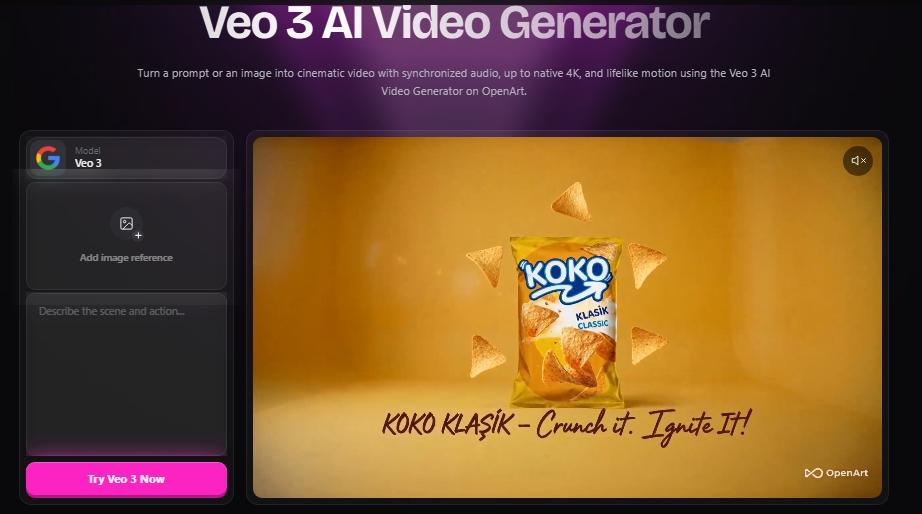
The single biggest thing that sets Veo 3.1 apart from a lot of competing video models is that it generates video and audio in the same pass, rather than adding sound as a separate step afterward. That means ambient noise, background music, dialogue, and lip-sync all come out of one generation. If you prompt a scene with rain, you actually hear rain, and it lines up with what is happening on screen.
Veo 3.1 supports resolutions from 720p up to 4K, and it generates video in both vertical 9:16 format (built for Reels, Shorts, and TikTok) and standard 16:9 widescreen format, at frame rates of 24, 30, or 60 fps.
Where can you access Veo 3.1?
You will find it inside the Gemini app, Google Flow, YouTube Shorts, YouTube Create, Google Vids, and the Vertex AI API for developers who want to build it into their own applications. Subscription access starts at $19.99 a month with Google AI Pro and goes up to $249.99 a month with Google AI Ultra. Through the API, pricing is calculated per second of generated video, starting at roughly $0.15 per second for the Fast tier and going up to around $0.40 per second for the Standard tier with audio included.
Every video generated through Veo carries the same invisible SynthID watermark used across Google’s image models, so viewers and platforms can verify it as AI-generated without it affecting how the video looks or plays.
How Flow, Nano Banana, and Veo 3.1 Work Together
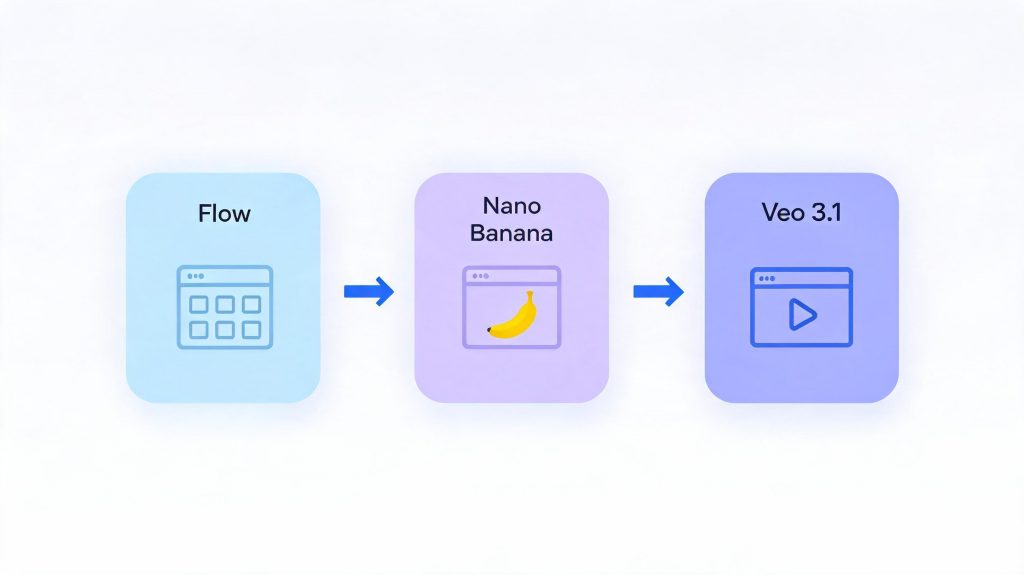
Working with them together is the part that actually matters. Flow is not a fourth, separate AI model. It is the workspace that sits on top of Nano Banana and Veo 3.1 and lets you move between them without exporting and re-uploading files.
A typical workflow inside Flow looks like this. You start by generating a still image with Nano Banana, maybe a product shot or a character design. You refine that image, lock in the details you want to keep consistent, and then hand it to Veo 3.1 to animate.
If the first clip needs a follow-up scene, SceneBuilder extends it instead of starting over. The result is a short film, an ad, or a social clip built from a single consistent set of visual “ingredients,” rather than a pile of disconnected generations that do not quite match.
This is also why comparing “Flow vs Nano Banana vs Veo” as three rival products, the way a lot of headlines frame it, is slightly misleading. It is closer to comparing a kitchen to the two chefs working inside it. The kitchen (Flow) does not compete with the chefs (Nano Banana and Veo). It is where they do their work.
Full Comparison Table
| Feature | Google Flow | Nano Banana (2 / Pro) | Veo 3.1 |
|---|---|---|---|
| What it does | Unified creative workspace | Image generation and editing | Video generation with audio |
| Output type | Images and video | Still images | Video clips |
| Max resolution | Up to 1080p (Ultra) | Up to 4K (Pro) | Up to 4K |
| Native audio | Yes, through Veo 3.1 | Not applicable | Yes |
| Free tier | 100 credits + 50 daily credits | Free in Gemini app (Nano Banana 2) | Limited free generations via Gemini |
| Starting paid price | $19.99/month (Google AI Pro) | Free, or bundled with Google AI plans | $19.99/month (Google AI Pro) |
| Top tier price | $249.99/month (Google AI Ultra) | Bundled with Google AI Ultra | $249.99/month (Google AI Ultra) |
| API access | Not applicable (workspace only) | Yes, via Gemini API | Yes, via Vertex AI API |
| Best for | Multi-shot storytelling, ad production | Photo edits, product mockups, posters | Cinematic video, social clips, ads with dialogue |
| Character consistency | Yes, via SceneBuilder and ingredients | Yes, up to five characters per image | Yes, when paired with Flow |
How to Use Google Flow (Step by Step)
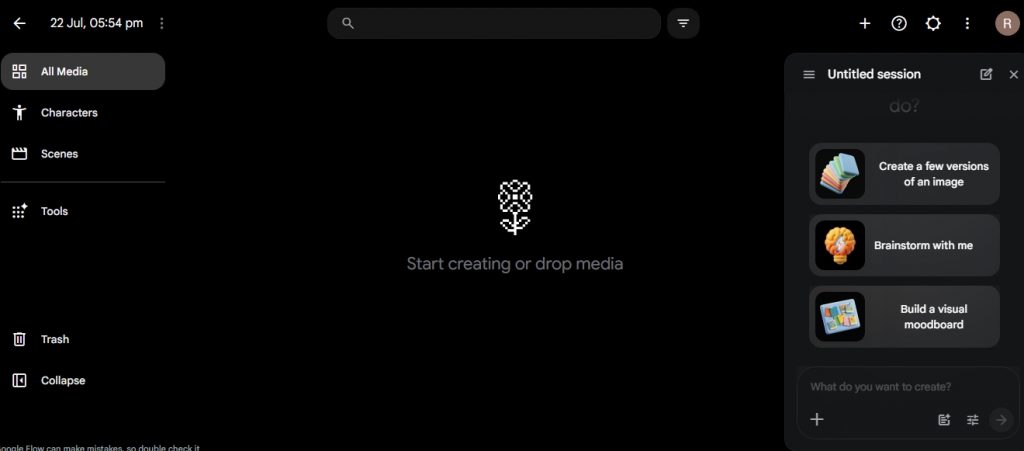
- Open flow.google and sign in with your Google account.
- Use the left sidebar to manage your project through All Media, Characters, Scenes, and Tools.
- Start a new session from the right panel and choose whether you want to create image versions, brainstorm ideas, or build a moodboard.
- Add your prompt or drop in reference images and other media to guide the generation.
- Save characters and scenes when consistency matters so you can reuse them later.
- Generate image options first, refine the best result, and then move it into a scene or video workflow.
- Use SceneBuilder to extend the sequence instead of restarting when you need another shot.
- Export the final result once the scene sequence is complete
How to Edit a Photo With Nano Banana (Step by Step)
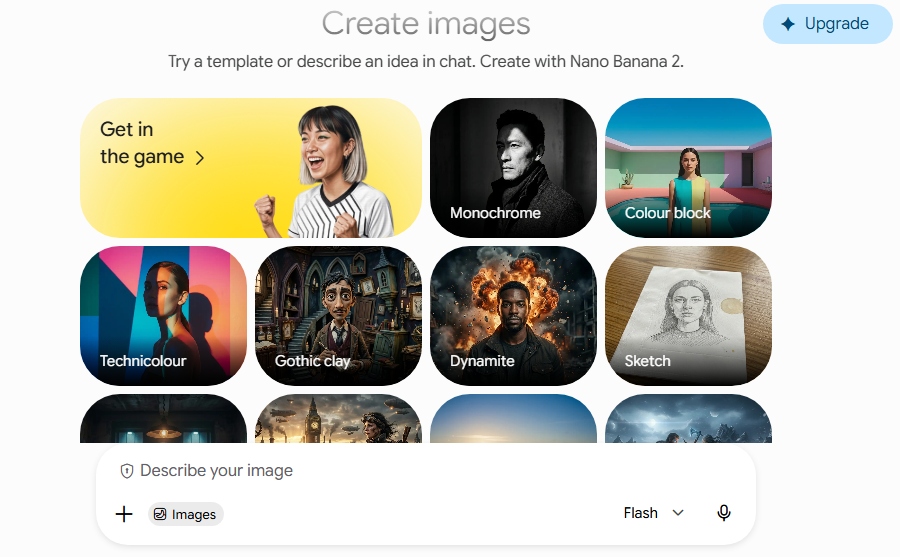
- Open the Gemini app or go to Google AI Studio.
- On the Create images screen, choose a template or type your idea in the chat field.
- Upload the photo you want to edit using the image input button.
- Type your edit instruction in natural language, for example, “soften the lighting and remove the background clutter.”
- Review the result and refine it with a follow-up instruction if needed, since Nano Banana supports multi-round editing.
- Download the final image, which will include an invisible SynthID watermark.
How to Generate a Video With Veo 3.1 (Step by Step)
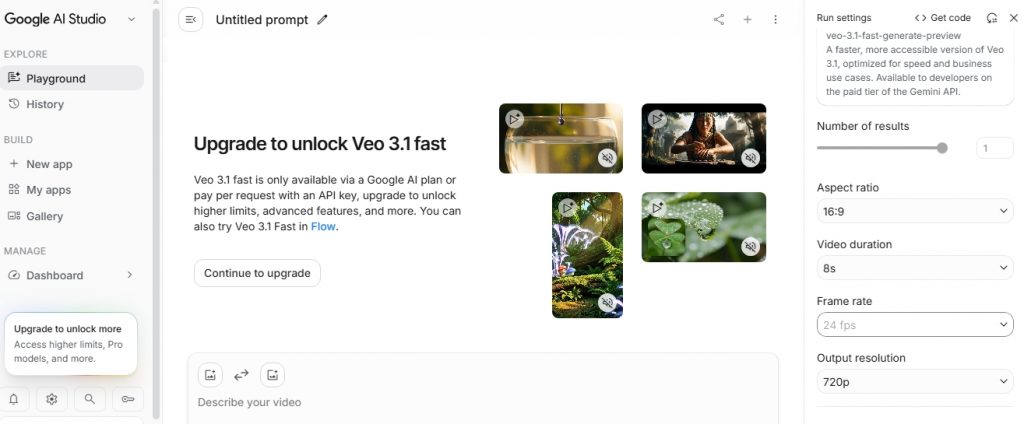
- Open the Veo 3.1 page in Google AI Studio.
- In the left panel, stay in Playground if you want to generate directly in the editor.
- In the main prompt box, type Describe your video and write exactly what you want the clip to show.
- Use the right-side settings to choose the number of results, aspect ratio, video duration, frame rate, and output resolution before you generate.
- If you see Veo 3.1 fast locked behind upgrade, that mode is only available through a Google AI plan or API access.
- Click generate, review the clip, and adjust the prompt or settings if the result is not right.
- If you need a longer sequence, continue the scene instead of starting over.
Pricing Breakdown
Nano Banana 2 is free to use inside the Gemini app, Google Search’s AI Mode, and Lens. Nano Banana Pro, with full 4K output, needs a paid Gemini or Google AI subscription.
For Flow and Veo 3.1, pricing follows the same Google AI subscription ladder:
- Google AI Pro: $19.99 a month. Includes Veo 3.1 Fast, around 1,000 credits, and core Flow features at 720p resolution.
- Google AI Ultra: $249.99 a month. Includes 1080p output, advanced camera controls, and early access to the full Veo 3.1 Quality tier.
- Vertex AI API: billed per second of generated video, from around $0.15 per second on the Fast tier to $0.40 per second on the Standard tier with audio included.
If you want an alternative outside Google’s ecosystem, here is how the main competitors stack up on price.
| Tool | Entry price | Top tier | Notable strength |
|---|---|---|---|
| Adobe Firefly | $9.99/month (Standard) | $199.99/month (Premium) | Commercially licensed training data |
| Midjourney | Roughly $10/month | Roughly $60–120/month | Artistic style and visual “wow factor” |
| Kling 3.0 | Free tier available | Roughly $0.50 per clip at scale | Native 4K at 60fps, strong value |
| Runway Gen-4.5 | Paid plans, no permanent free tier | Enterprise pricing | Professional editing tools bundled in |
| GPT Image (via ChatGPT Plus) | $20/month | Included in ChatGPT Plus | Conversational, easy editing |
Adobe Firefly’s pricing runs from $9.99 a month for the Standard plan, through $19.99 a month for Pro, up to $199.99 a month for Premium. The Standard plan includes 2,000 generative credits and up to 20 five-second video clips a month, while Pro doubles the credits and adds Photoshop access. Firefly’s core advantage is licensing: Adobe trains it only on licensed Adobe Stock content, which reduces copyright risk for commercial use, something agencies working with paying clients tend to care about a great deal.
How These Tools Compare to Midjourney, Sora 2, Kling, and Others
No comparison of Google’s AI tools is complete without placing them next to the rest of the market, because your final choice often depends on what else is out there.
Nano Banana vs Midjourney
Midjourney still leads on pure artistic style. If you want striking, painterly, cinematic-looking images and do not mind working inside Discord, Midjourney remains a favourite among designers.
Nano Banana, on the other hand, is stronger for controllable editing, character consistency across multiple images, accurate text rendering, and production-ready commercial assets.
Choose Midjourney when the look matters most. Choose Nano Banana when you need to keep editing the image after the first generation without it drifting from your original subject.
Nano Banana vs GPT Image and FLUX.2
GPT Image, built into ChatGPT Plus, is convenient if you are already using ChatGPT and leads on photorealistic accuracy in some independent benchmarks. FLUX.2 and Stable Diffusion appeal to users who want to self-host the model, keep full ownership of outputs, or generate at very high volume without per-image API costs.
Nano Banana sits in between: no separate account needed if you already use Gemini, strong editing control, and official API access through Google.
Veo 3.1 vs Sora 2
This comparison needs an important update that a lot of older articles miss. OpenAI announced in April 2026 that Sora 2 would shut down, with the consumer app closing on April 26, 2026, and API access following on September 24, 2026. Reported reasons included high compute costs relative to output quality and a widening quality gap against Veo 3.1 and Kling 3.0. If you are choosing a video tool for a long-term workflow, this makes Sora a weak foundation to build on right now, regardless of how it performed in earlier tests.
Veo 3.1 vs Kling 3.0
Kling 3.0, released by Kuaishou in February 2026, has become the strongest value competitor to Veo 3.1. It offers native 4K output at 60 frames per second, a usable free tier, and per-clip pricing around $0.50, which makes it attractive for high-volume production and social media testing.
Veo 3.1 still leads on native audio quality and lip-sync accuracy, and it integrates more tightly with Flow’s SceneBuilder for multi-scene continuity. If your priority is raw output volume at the lowest cost, Kling is worth testing. If your priority is polished, story-driven video with dialogue, Veo 3.1 through Flow is the stronger choice.
Veo 3.1 vs Runway Gen-4.5
Runway remains popular with professional video editors because it bundles generation with a genuine editing timeline and more granular creative controls. It suits teams that want to fine-tune every frame. Veo 3.1 and Flow lean more toward fast, prompt-driven iteration, which suits solo creators and smaller teams that want speed over frame-by-frame control.
Where do HeyGen, Synthesia, and Pika fit in?
These tools solve a narrower problem: AI avatars and talking-head video, which is common in corporate training and localisation. They are worth comparing separately if your main need is a presenter-style video rather than cinematic storytelling, and they generally are not a direct substitute for Flow, Nano Banana, or Veo 3.1.
AI Video and Image Generation Statistics for 2026
A few numbers help put this whole comparison in context. Google’s Veo 3 reportedly crossed 70 million generated videos within roughly two months of its May 2025 launch, which shows how quickly creators adopted native-audio video generation once it became available. Kling AI, one of Veo’s biggest competitors, reported serving 60 million creators and producing more than 600 million videos by December 2025.
On the adoption side, industry surveys from early 2026 put the share of marketing teams using AI-generated video in at least one campaign per quarter at around 78%, with roughly half of all marketers using AI for some part of their video creation or editing process. Text-to-video remains the dominant creation method, accounting for close to half of all AI video generation activity, ahead of image-to-video and other formats.
These figures vary somewhat between research firms, since each one scopes the “AI video market” a little differently. What stays consistent across nearly every report is the direction: adoption is rising quickly, production costs are falling, and native audio has gone from a rare feature to a baseline expectation within about a year.
Pros and Cons of Each Tool
Google Flow
- Pros: unifies image and video generation in one workspace, SceneBuilder solves character-consistency problems, strong free tier to start with.
- Cons: full access requires a paid Google AI subscription, 1080p output is locked behind the more expensive Ultra tier.
Nano Banana (2 and Pro)
- Pros: free entry point through Gemini, fast generation speed, strong multi-image editing and consistency, built-in watermarking for transparency.
- Cons: less distinctive artistic style compared with Midjourney, 4K output requires the Pro tier.
Veo 3.1
- Pros: native audio generation in the same pass as video, strong lip-sync and ambient sound accuracy, works across multiple Google surfaces.
- Cons: no permanent free tier for serious use, full quality and 1080p require the $249.99 Ultra plan, generation length is still limited compared with some competitors.
Best Prompts for Photo Editing and Video
Clear, specific prompts produce noticeably better results than vague ones, no matter which of these tools you use. Below are examples across different use cases you can adapt for your own work.
Nano Banana photo editing prompt:
Edit this portrait: soften the studio lighting to golden hour warmth,
keep the subject’s face and outfit unchanged, add a shallow depth of field.
Nano Banana product mockup prompt:
Place the exact product from the reference images on a modern white
marble countertop, add a small potted plant beside it, bright clean
lighting, no change to the product’s shape, colour, or logo.
Google Flow scene-building prompt:
Continue this shot: the character walks from the doorway to the window,
keep the same lighting and outfit, add ambient rain sound outside.
Veo 3.1 text-to-video prompt:
A barista steams milk in a quiet morning cafe, close-up on the pour,
soft jazz playing low in the background, warm natural light through a window.
Cinematic reel prompt (Flow and Veo 3.1):
Wide establishing shot of a coastal town at dawn, slow push-in on
a fishing boat, seagull calls and distant waves, muted color grade.
AI ad video prompt (dialogue-driven):
A founder speaks directly to camera in a bright office, saying
“we built this for teams who move fast,” natural lip-sync, soft
background hum of a busy workspace.
Product demo prompt:
Overhead shot of hands unboxing a skincare product, slow reveal of the packaging, gentle unboxing sounds, soft studio lighting. A small change in wording can shift the entire mood of the output. Using the word golden hour produces warm tones, while overcast produces a flatter, cooler look. It helps to test small variations on one prompt before committing to a full sequence, since regenerating an entire multi-scene project takes far more time and credits than adjusting a single word.
Common Mistakes to Avoid
Most disappointing results come from a handful of avoidable mistakes, and they apply across Flow, Nano Banana, and Veo 3.1.
- Writing vague prompts. “Make a nice video of a city” gives the model too much freedom. Specify the time of day, camera angle, mood, and sound.
- Skipping the reference images. If you need brand or product consistency, upload reference images from the start instead of trying to correct drift after generation.
- Regenerating instead of editing. Nano Banana and Flow both support multi-round editing. Refine an existing generation with a follow-up instruction rather than starting from zero every time.
- Ignoring aspect ratio early on. Decide whether your final output is for Shorts, Reels, or widescreen before you generate, since switching formats later often distorts the composition.
- Overloading a single prompt. Long, cluttered prompts with too many competing instructions tend to confuse the model. Break complex scenes into steps using SceneBuilder instead.
Glossary of Terms
- Text-to-video: generating a video clip directly from a written description, without starting from an existing image.
- Image-to-video: animating or extending an existing still image into a moving clip.
- Diffusion model: the underlying AI architecture that many image and video generators, including several models in this comparison, are built on.
- Prompt adherence: how closely a model’s output matches the specific details in your prompt.
- Temporal consistency: how well a character, object, or setting stays visually the same across multiple frames or scenes in a video.
- SynthID: Google’s invisible watermarking system that marks AI-generated images and videos for later verification.
- C2PA metadata: an industry-wide content credential standard, backed by Adobe, Microsoft, OpenAI, and Meta, that records how a piece of media was created.
Which Tool Should You Use, by Goal
- Use Nano Banana 2 for everyday image generation and quick photo edits.
- Use Nano Banana Pro for 4K posters, infographics, or text-heavy visuals.
- Use Google Flow for multi-scene stories that need consistent characters.
- Use the Veo 3.1 API if you are a developer generating video at scale.
- Use Adobe Firefly when commercial licensing and copyright safety are the priority.
- Use Kling 3.0 when you need high volume, low-cost video for testing and iteration.
- Use Midjourney when artistic style matters more than editability.
- Consider Runway, HeyGen, or Synthesia for frame-by-frame editing control or avatar-style presenter video.
Frequently Asked Questions
Is Google Flow free?
Flow offers a free tier with 100 initial credits and 50 daily credits, which is enough for casual use. Full, regular access needs Google AI Pro at $19.99 a month, or Google AI Ultra for higher limits and better resolution.
Is Nano Banana better than Gemini?
This comparison does not quite apply, since Nano Banana is the image-generation model that works within Gemini rather than a separate, competing product.
Which is the best AI video generator in 2026?
For cinematic storytelling with native audio and consistent characters, Veo 3.1 through Google Flow is a strong option. For high-volume, low-cost production, Kling 3.0 is currently the value leader. For commercial projects where copyright safety matters most, Adobe Firefly is the safer fit.
Is Veo 3.1 available in India?
Availability depends on your Google AI Pro or Ultra region settings, and this can change over time. Check your Gemini app’s plan page for the most current access details before building a workflow around it.
Which free AI video generator is best?
None of Google’s major video tools currently offer a full permanent free tier for serious use. Kling 3.0’s free tier and the rate-limited free trials on Runway, Pika, or Luma are worth comparing if budget is the main constraint.
Is Adobe Firefly worth it?
If you work with clients and need commercially safe, copyright-clean output within an existing Adobe workflow, Firefly is a solid investment. If you are working independently and prioritise output quality over licensing, Flow may serve you better.
Is Sora 2 still available?
No. OpenAI confirmed that Sora 2’s consumer app closed on April 26, 2026, with API access following on September 24, 2026. Any workflow built around Sora 2 needs to migrate to an alternative such as Veo 3.1 or Kling 3.0.
What is the difference between Nano Banana and Nano Banana Pro?
Nano Banana 2 (Gemini 3.1 Flash Image) is faster and free within Gemini, suited to everyday image tasks. Nano Banana Pro (Gemini 3 Pro Image) supports full 4K output and more accurate multilingual text rendering, suited to professional and commercial work.
Can I use Nano Banana and Veo 3.1 without Google Flow?
Yes. Both models are accessible directly through the Gemini app, Google AI Studio, and their respective APIs. Flow simply combines them into one workspace so you do not have to move files between separate tools.
How much does it cost to make a full video with Google’s AI tools?
Costs depend heavily on resolution and volume. A single Veo 3.1 clip through the API can cost roughly $1 to $3 depending on length and quality tier, while subscription plans offer a fixed monthly cost for a capped number of generations, which usually works out cheaper for regular users.