

Grok Imagine: Your 2025 Guide to Making Short AI Videos, Explained Simply
October 27, 2025So you got an idea of making a quick video of you driving through a rainy city or a dragon flying over your head while you sipping your morning coffee. Unfortunately, you put a stop to your imagination as neither you have such technical expertise or have the budget to pay a professional to do that for you. But things have changed, and for real this time!
With Grok Imagine, xAI’s AI video generator, you can turn a photo or a few words into a 6-15 second clip with realistic motion and sound in just seconds. Grab your coffee, and stick around and I will answer all your questions.
Over this coffee, I’ll explain how Grok Imagine works for image to video and text to video AI, share 50 prompts tailored for videos, compare it to Midjourney, and cover what’s coming in 2025.
Why Grok Imagine’s Video Tool Is a Big Deal in 2025 and How it Works?
People on X and Reddit are raving about Grok Imagine because it creates short videos fast—5-20 seconds per clip—with photorealistic rendering and audio that matches, like waves crashing with real splashes.
It builds on Grok 3’s smart text processing, which is great at breaking down complex ideas with a sharp edge. You can read more about its roots in this Grok 3 overview. Now, with the Aurora engine, it uses deep learning image synthesis to animate images with realistic motion, like characters walking or objects smashing. Unlike tools like Sora that take minutes, Grok image generator is built for quick social media clips such as TikTok or Instagram Reels.
How to Start Making Videos with Grok Imagine
Here’s a simple guide to get going:
For Windows/ Web Browser/Chrome/Edge… and more…
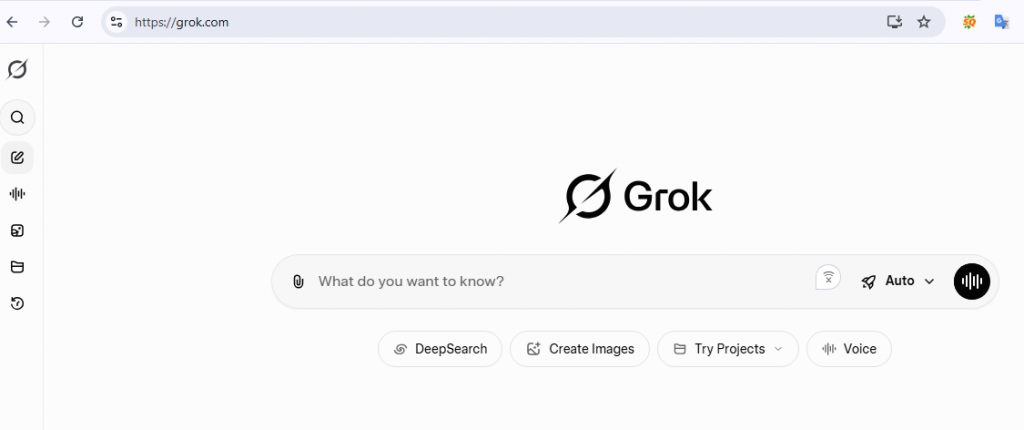
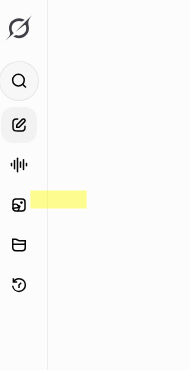
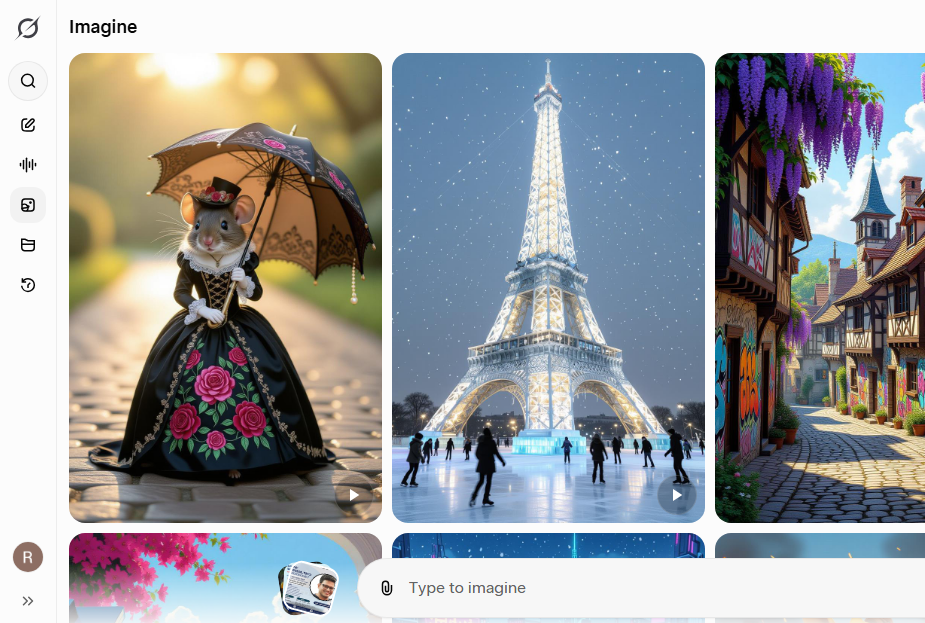
Once you click the imagine tab, a beautiful window will open with a prompt box and attachment button.
Click on the attachment button and upload your file.
Note: Grok will start making videos as soon as you upload an image, so make sure you enter your prompt on the prompt bar. Or just leave as it is and let the ai shot its best guess. If you don’t like the result, you can always add prompt again and as many times to tweak the generated video.
For Mobile
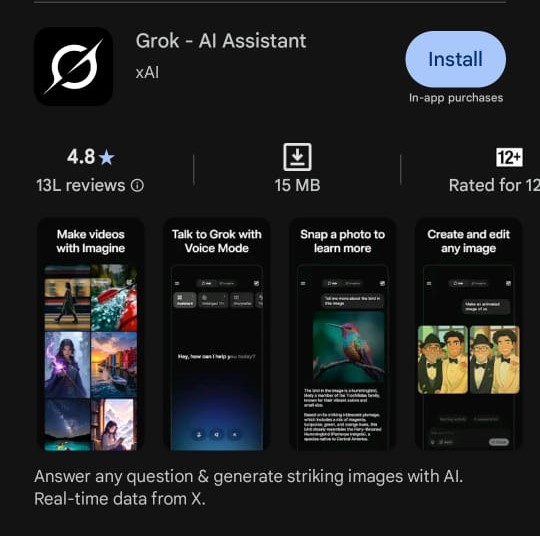
Install the App: Download Grok from the App Store or Google Play. Sign in with your X account—waitlists usually clear quickly.
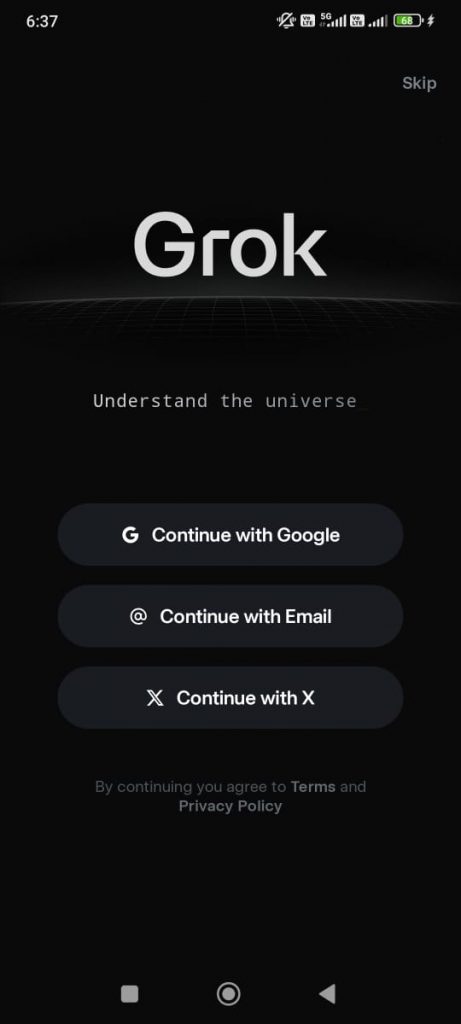
You can create a new account or use you existing gmail, X or any other email to login.
Start with Image or Text: Upload a photo for Grok image upload and Grok photo analysis, or type a text to video AI prompt like “corgi skateboarding, neon street, 4K.”
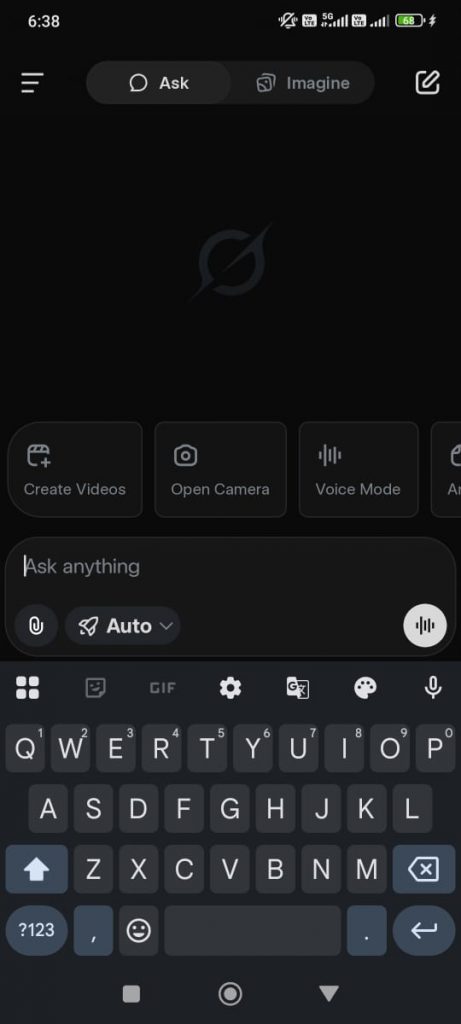
Go to the imagine tab, add an image by clicking on the attachment link. Once you add an image, Grok automatically start animating it. Wait for the first video to generate, then you can tweak it with commands.
Add Motion: Describe the movement, like “pan right, add rain.” You’ll get a 6-15 second clip with sound.
Extend Clips: For longer videos, upload the last frame as a new starting point to chain clips.
Free accounts get 10 clips daily; SuperGrok unlocks more (check x.ai). If a clip looks off, vague prompts are often the issue. Try the prompts below for better results. Keep scrolling to get the best grok imagine prompts.
What Grok Imagine’s Video Features Offer
Grok vision and Grok multimodal AI make it a top AI video maker. The Aurora engine uses computer vision advancements to turn images into videos with realistic motion, such as waves rippling or capes flapping.
Here’s what stands out:
- Short Clips with Audio: 6-15 seconds with auto-synced sound, like footsteps or wind.
- Custom Motion: Describe camera moves (pan, zoom) or actions (run, dance) for Grok image interpretation.
- Chaining Clips: Use the last frame to extend videos, great for timelapses.
- Spicy Mode: Bolder clips (like dance or partial nudity) with ethical limits.
Addressing Common Issues and Grok’s Speed Edge
Grok Imagine can struggle with complex prompts, like “cyberpunk city with raining streets and neon signs,” causing text glitches (garbled words on signs) or style shifts (e.g., realistic turning cartoony).
This happens because detailed Grok image prompts can overwhelm the deep learning image synthesis in image to video workflows. To fix it, use Grok visual reasoning by chatting with the AI. Upload the clip via Grok image upload and say, “Fix the sign text to ‘Welcome’” or “Keep the cyberpunk style consistent.” This improves Grok image interpretation and Grok photo analysis for quick tweaks.
Better yet, Grok image generator creates 6-15 second clips in 5-20 seconds—about 10x faster than Runway ML’s 40-60 seconds, making it ideal for testing AI image understanding in AI multimodal model setups.
50 Video Prompts for Grok Imagine
Here are some grok imagine ai video prompts. Just copy-paste these for stunning clips. Structure them as Subject + Motion + Camera + Style + Audio, like “corgi skateboards down neon street, pan right, synthwave, upbeat track.” These are tailored for image to video (upload a base image) or text to video AI. For creative twists, see how Gemini’s prompts inspire bold styles in this Gemini AI prompts guide.
Cinematic & Action (For Reels/Marketing)
- “Warrior swings sword in misty forest, orbit 360, god rays, epic orchestral music, 4K.”
- “Car races rainy highway, zoom out to cityscape, wet reflections, engine roar, cyberpunk.”
- “Dancer twirls in spotlight, slow-motion spin, stage fog, jazz saxophone, photoreal.”
- “Dragon soars over mountains, wing flaps gust wind, aerial pan, mythical roar, fantasy.”
- “Athlete sprints urban park, tracking shot, morning light, heartbeat pulse, 4K.”
- “Chef flips pan in kitchen, steam rises, close-up reveal, sizzling sound, warm lighting.”
- “Spaceship docks at station, thrusters fire, orbit zoom, sci-fi hum, starry backdrop.”
- “Surfer rides wave, barrel roll, underwater tilt, ocean roar, tropical.”
- “Robot assembles puzzle, gears click, overhead crane shot, mechanical whirs, industrial.”
- “Balloon floats over city skyline, gentle drift up, time-lapse clouds, whimsical flute.”
Abstract & Timelapse (For Art/Loops)
- “Flowers bloom in fast-forward, petals unfurl, macro zoom, soft chimes, pastel dawn.”
- “City lights flicker from dusk to night, traffic morphs, wide shot, ambient hum.”
- “Sand dunes shift in wind, ripples form, drone pan, desert whispers, golden hour.”
- “Ice melts into river flow, cracks spread, slow tilt down, trickle sound, arctic blue.”
- “Stars twinkle as galaxy spins, constellations connect, cosmic zoom-out, ethereal synth.”
- “Smoke curls into abstract shapes, dissipates, close-up vortex, hushed silence, noir.”
- “Leaves fall in autumn whirl, ground swirl, ground-level track, rustling leaves, orange tones.”
- “Neon signs flicker, reflections in pool, static cam, electric crackle, retro.”
- “Clouds morph into animal forms, drift by, skyward pan, gentle breeze, dreamy.”
- “Fire embers dance in hearth, sparks fly, intimate close, crackle pop, cozy warm.”
Spicy/NSFW-Inspired (Ethical Use Only)
- “Silhouette dances with fluid sway, shadows play, low-angle rise, sultry bass, dim lounge.”
- “Model poses with fluid stretch, fabric flows, slow orbit, breathy whispers, velvet red.”
- “Couple embraces on twilight beach, waves lap, gentle pan, soft murmurs, romantic guitar.”
- “Figure lounges on chaise, leg cross, firelight flicker, intimate zoom, jazz lounge.”
- “Dancer sheds layers in twirl, confetti falls, stage revolve, upbeat pulse, vibrant club.”
- “Lovers gaze intensely, candle melts, static close-up, heartbeat thump, passionate.”
- “Body paint artist strokes canvas skin, colors blend, macro follow, brush stroke audio.”
- “Swim in crystal pool, bubbles trail, underwater track, splash echoes, azure.”
- “Tattoo session with needle buzz, lines form, arm steady cam, hum vibration, edgy.”
- “Massage oils glisten, muscles relax, soft overhead, sigh breaths, spa serene.”
Professional/Marketing (Product Demos)
- “Sneaker laces tie, runner on trail, dust kicks, dynamic follow, upbeat track, outdoor.”
- “Coffee pours with steam, cup swirls, close-up pour, gurgle aroma, cafe warm.”
- “Phone assembles, hands build, screen glows, table pan, click snaps, tech sleek.”
- “Jewelry sparkles as model turns, facets catch light, 360 orbit, chime tinkle, luxury.”
- “Book pages flip, story unfolds, illustrations animate, over-shoulder, page rustle.”
- “Wine glass swirls, sediment settles, sip reveal, elegant tilt, glug pour, vineyard.”
- “Laptop opens, code compiles, keys clack, screen zoom, typing rhythm, office modern.”
- “Perfume spritz, mist trails, slow-motion arc, whisper mist, floral.”
- “Bike pedals up hill, gears shift, scenic track, wind whoosh, adventure green.”
- “Cake layers stack, icing drips, knife slice, overhead reveal, yum chew, bakery sweet.”
Fun & Viral (Memes/Social)
- “Corgi skateboards down ramp, wobble crash, goofy pan, bark laugh, cartoon.”
- “Cat chases laser dot, frenzy zoom, wall bounce, meow squeak, playful.”
- “Pizza spins in oven, cheese stretches, conveyor track, sizzle pop, Italian.”
- “Emoji dance party, icons bounce, disco revolve, chiptune beat, colorful.”
- “Unicorn prances on rainbow bridge, horn sparkles, trot follow, magical harp, pastel.”
- “Zombie shuffles in graveyard, arms flail, foggy creep, groan moans, horror.”
- “Superhero leaps building, cape flaps, heroic dive, whoosh impact, comic.”
- “Meme frog flips table, pieces shatter, quick cut, quack yell, viral.”
- “Penguin slides ice ramp, belly flop, colony cheer, splash slide, arctic fun.”
- “Robot disco boogies, sparks fly, strobe spin, glitch beats, retro-futuristic.”
Tip: Offer these as a downloadable PDF to boost conversions.
Grok Imagine vs. Midjourney: Video Prompt Comparison
Users compare Grok Imagine to Midjourney for AI image generator tasks, but video’s where Grok shines. Midjourney’s prompts (e.g., “cyberpunk city, cinematic –v 5”) are short and style-heavy, great for static art but limited for motion. Grok image prompts need detail, like “cyberpunk city, cars race, pan right, neon, 4K, engine roar,” using Grok visual reasoning to tweak via chat. Midjourney’s video (via third-party tools) is slower and lacks native audio.
| Feature | Grok Imagine | Midjourney |
|---|---|---|
| Prompt Style | Detailed, chat-refined | Short, style-focused |
| Video Output | 6-15s, native audio | Via external tools, no audio |
| Speed | 5-20s | 30s+ |
| Editing | Grok image interpretation via chat | Manual inpainting |
Try Grok’s #1 vs. Midjourney’s “warrior, cinematic.” Grok’s computer vision advancements add motion/audio. For other AI prompt ideas, check this Gemini AI prompts guide for bold styles to adapt.
2025 Trends, Limits, and Ethics
Grok multimodal AI is set to grow with Grok 4’s agents for auto-chained clips and AR integration.
Limits: 6-15s clips, text glitches—use dark base images or specific prompts to fix.
Ethics: Spicy mode needs consent; watermark deepfakes. Diverse prompts reduce bias in AI visual model.
FAQs
What are the best tips for crafting effective Grok Imagine video prompts?
To create standout Grok image prompts for image to video or text to video AI, use a clear structure: subject + motion + camera + style + audio (e.g., “dancer twirls in spotlight, slow-motion spin, stage fog, jazz saxophone, photoreal”). Keep prompts concise to avoid style drift, and specify “4K, photorealistic” for photorealistic rendering. For inspiration, see how other AIs handle creative prompts in this Gemini AI prompts guide. Test with Grok visual reasoning by asking, “Simplify my prompt for better results.”
Can Grok Imagine videos include custom audio or music?
Grok Imagine auto-generates audio synced to the action, like waves crashing or footsteps, using Grok multimodal AI. You can’t upload custom music yet, but you can prompt specific sounds (e.g., “upbeat synth track” or “epic orchestral swell”). For example, try “city flythrough, neon lights, drone pan, cyberpunk, pulsing bass” for a cohesive vibe. X users suggest layering external audio post-export for full control, making it ideal for AI image tool workflows.
How does Grok Imagine compare to other AI video generators like Sora or Veo?
Grok Imagine excels for 6-15 second clips, generating in 5-20 seconds with native audio, outpacing Sora (1-5 min renders, better for long films) and Veo (30s+, strong for ads). Its Grok vision and Grok image interpretation make chat-based edits easy, unlike Sora’s rigid outputs. For AI that analyzes images, Grok image upload shines over Veo’s limited uploads. Choose Grok for quick image to video social clips; Sora for pro films. See the comparison table in the blog for details.
What are the ethical considerations for using Grok Imagine’s Spicy Mode?
Spicy Mode in Grok Imagine allows bolder clips (e.g., dance scenes, partial nudity) but requires ethical use—always ensure consent and watermark deepfakes to avoid misuse. Grok image understanding helps flag inappropriate content, but creators must review outputs for bias or harm. Stick to prompts like “silhouette dancing, sultry jazz, low-angle” for artistic flair, and follow xAI’s guidelines to align with computer vision advancements responsibly.
What are the main limitations of Grok Imagine for video, and how can I work around them?
Beyond clip length (6-15s, chainable) and text glitches (fixed via chat), Grok Imagine may struggle with intricate backgrounds or rapid motion in deep learning image synthesis. Workaround: Break complex prompts into steps (e.g., generate background, then add motion). Use Grok photo analysis on uploads to refine details. X users suggest dark base images for better image AI examples output
Start Creating Now
Grok Imagine is your 2025 tool for quick, cinematic AI video generation. Use these prompts, share Grok image examples on X with #GrokImagineVideo, and join r/grok for tips. It’s the niche your users want—fast, practical, and creative. Try x.ai/api for dev options. What video will you make first?